
Macs are known to be pretty secure as they don't seem to get viruses and malware as easily as Windows computers do. But the truth is, no computer is completely immune to malicious software. So how can you tell if your Mac has been infected with malware? Look out for these signs.
Beware: Macs aren’t immune to malware

Mac keyboard shortcuts you should be using today

Keyboard shortcuts can enhance users’ productivity and save time, but not everyone knows about them. If you own a Mac, these are the keyboard shortcuts you need to start using now.
Minimize or dock the front app window: Command + M
If you have several open apps, browsers, and Finder windows, use this shortcut to minimize the front window to the Dock.
Is malware a problem on Macs?

There’s a common misconception that Apple computers can’t get infected with malware. The truth is Macs are resistant to most Windows-based bugs and malicious codes but they aren’t invulnerable. Here are some threats that can compromise your Mac and how to tell that you’ve been infected.
How to tell if your Mac is compromised

Viruses and malware creators are out to attack anyone and everyone, including Mac users. Despite Apple’s robust macOS that makes it difficult to attack Macs, cybercriminals are finding ways to identify and exploit vulnerabilities. Read on to find out which threats you should protect your Mac against, as well as signs that your computer has been compromised.
The best Mac keyboard shortcuts
While many users are tech-savvy, there are some who don’t utilize useful keyboard shortcuts on their devices. These shortcuts can greatly enhance your productivity and save you a lot of time. Besides making you more efficient, using them can actually reduce wrist strain.
Ways to secure your Apple devices

It is widely believed that Apple computers and devices are highly secure and can't be touched by malware and viruses. While there are fewer security threats to Macs, iPhones, and other Apple gadgets compared to Windows and Android machines, Apple devices are also vulnerable.
Are Macs vulnerable to viruses?

It is common knowledge that Windows computers tend to deal with an assortment of viruses and malware, but many people fail to realize that even Macs face similar threats. Virus creators have become adept at finding back doors and other vulnerabilities, that even Macs can be targeted.
Useful keyboard shortcuts for Mac users

Did you recently switch from Windows to Mac? If so, you’re probably still getting used to the Apple keyboard. The good news is it’s only slightly different from a non-Apple keyboard. The bad news is you’ll have to learn a whole new set of shortcuts.
Major updates to Apple’s macOS High Sierra
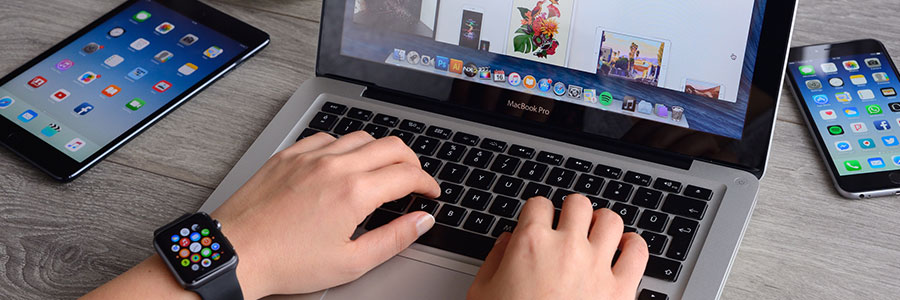
macOS High Sierra, Apple’s newest desktop operating system, aims to enhance current features, fix problems, and improve overall user experience. A long list of refinements await iMac and MacBook users, but here are the ones businesses will find most useful.