
Has your Android phone been slowing down to a crawl? Before spending money on a replacement, try these five simple, free fixes to boost performance, clear clutter, and breathe new life into your device.
1. Uninstall unused apps
Old apps often continue running quietly in the background and slow your phone down.
Speed up your slow Android phone in minutes — no apps needed

Effective malware removal tips for Android devices

Because the Android operating system is open source, programmers find it easy to customize it and develop applications for it. However, it’s this same quality that exposes Android devices to vulnerabilities, making it easier for cybercriminals to distribute malware through Android apps.
How to perform a clean install of Windows 11
Performing a clean install of Windows 11 allows you to start fresh with a completely new operating system that is free of old settings, unnecessary files, and potential malware. It also gives you the opportunity to upgrade your machine if you've been using an older version of Windows.
5 Reasons you should hold off upgrading to Windows 11
Windows 11 is the new kid on the block. It looks sleek and modern, and many users are tempted to upgrade to the latest Microsoft operating system (OS). But should you make the switch? Here are five reasons why you may want to stick with Windows 10 for now.
Windows 11: What you need to know about Microsoft’s latest OS
Microsoft’s newest operating system (OS) was released back in October 2021, but most Windows 10 users still haven’t upgraded to it. If you’re one of the many who still haven’t installed Windows 11, these must-know facts about the latest OS might convince you to upgrade.
Missing features and capabilities in Windows 11

There’s plenty to like in Windows 11, Microsoft’s latest operating system. Many users will undoubtedly enjoy its cleaner, sleeker interface. The placement of the Start button in the middle of the taskbar, in particular, is an inspired choice, as this makes it easier for users to find the programs they use most often.
Are your Windows 10 updates taking too long? Here’s what you need to do

Windows 10 users are well aware that installing updates can take a long time. We hear users complaining about it all the time. Why are Windows 10 updates so slow, and what can users do to speed things up? Here’s our take.
Windows 10 updates take a while to complete because Microsoft is constantly adding larger files and features to the operating system.
5 Easy ways to boost your Mac’s speed
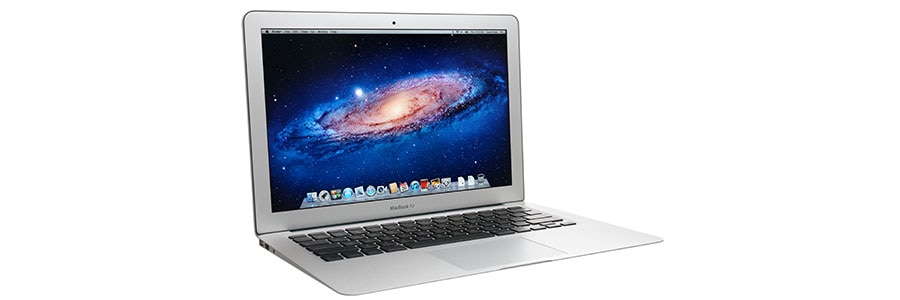
Has your Mac become sluggish? Is it taking too much time to boot or load websites? Different factors can slow down your computer. In this post, we have prepared various tips on how to resolve this.
Clean up your Login Items
The Login Items list (also known as the Startup List) contains all the apps and programs that automatically start when you log in.
Which Windows 10 version should you choose?
With its fast performance, regular updates, and helpful digital assistant, Windows 10 is a must-have operating system (OS) for both individual users and businesses. But before you purchase it, you have to decide which among Windows 10 Home, Windows 10 Pro, and Windows 10 S you’ll be getting.
Speed up your Windows 10 PC with these tips
When your computer shows signs of slowing down, don’t feel compelled to buy a replacement just yet. You can still speed up your machine — and do it for free, too. We’ve listed four effective tips to make your Windows 10 computer faster:
Prevent programs from launching at startup
Windows makes certain programs readily available by loading them at startup.