
Is your iPhone’s battery draining too quickly? You may need to make some configurations to it and adjust your usage habits in order to extend your phone’s battery life. Here are some tips that you should read to help maximize your iPhone’s battery performance.
Simple tips to help extend the life of your iPhone’s battery

Don’t let a power outage cripple your business — invest in a UPS

Power outages are a huge inconvenience to businesses. They can lead to lost productivity and revenue, and they can cost you a lot in damages. That's why it's important for businesses like yours to invest in an uninterrupted power supply (UPS). Let's take a closer look at some of the key reasons why every business should have a UPS system in place.
Simple tips to prolong your iPhone’s battery life

Employees rely on smartphones to contact clients and coworkers as well as to work on the go. So if your iPhone runs out of battery, it can significantly hinder productivity and communications. Avoid this risk by following these simple battery-extending tricks.
UPS: A must-have for network equipment

Power outages can happen anytime and for a number of reasons, including accidents and natural disasters such as fires and hurricanes. While there’s little your business can do to prevent a power outage, you can mitigate its impacts on your operations by deploying an uninterrupted power supply (UPS) for your computers and networking equipment.
6 Crucial battery-saving tips for iPhone users

There’s nothing worse than having a low iPhone battery when you’re working remotely without an outlet nearby. Luckily, there are several tips you can use to add a few more hours to your battery life. Here are six that prove invaluable.
1. Activate Low Power Mode
Low Power Mode can be activated with a single tap.
Gear up your network equipment with UPS
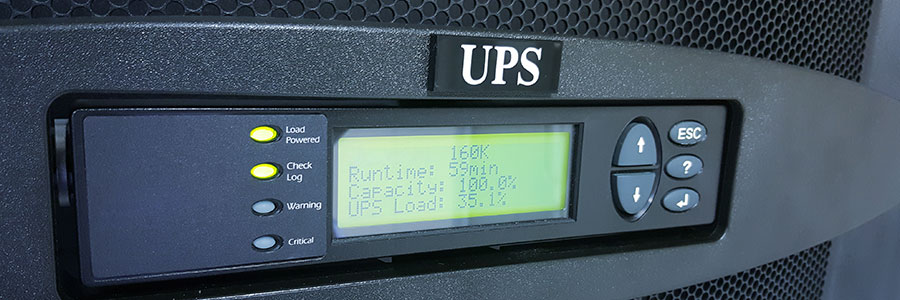
During a power outage, responsible business owners use emergency power to keep desktop computers from unexpectedly shutting down. While that’s certainly a good strategy for keeping machines operational and preventing data loss, there’s something else you can do to ensure that your staff remains productive while weathering a storm: uninterruptible power supply (UPS) for networking equipment.
Get more life out of your iPhone battery

You’re on the go today – out of the office, out of the house, and attending a business event. Everything is going fine and dandy until you look down at your phone to see your worst nightmare come true. Your iPhone is at 25 percent battery life. Before you panic, know that the answer to your dilemma may just be in the palm of your hand: in the Settings of your phone.
Why UPS is necessary for network equipment
Fire, flood, storm, and other disasters can lead to power failure and productivity loss. Using uninterruptible power supply (UPS) for computers ensures you never lose unsaved work, but without internet, you’re practically crippled. To avoid that dilemma, we highly recommend using UPSs for your networking equipment, including cable modems, wireless access points, and routers.
How to ensure a smooth iPhone iOS update

On March 22, Apple rolled out iOS 9.3. While many iPhone users are likely to have already upgraded to the new iOS, there are undoubtedly some who have yet to update. Regardless, there are some tried and true methods to ensure a successful update to your iOS, whether it be to this version or a future one.
Tips to extend your iPhone battery life
We’ve all been there. Your iPhone battery is under the fifty percent mark and you won’t be anywhere near an outlet for the next few hours. So what do you do? How can you ensure your iPhone won’t die in the meantime? Well, there are few settings you can adjust to add a few more hours to your battery life.