
To any business, ransomware means trouble. From operational disruption and revenue loss to total shutdown, it spares no part of the company. That’s why it’s wise to regularly back up your business data in multiple locations, including the cloud. If your computer is running on Windows 10, you’re in luck because the operating system makes backing up and restoring your files as easy as pie.
Windows 10 makes backing up files easy

Save time with Bookings by Office 365

We all undeniably have hectic schedules, and they’re made even worse with unorganized meetings, impromptu playdates, and unscheduled yoga classes. To move or cancel appointments, your clients would generally have to pick up the phone and call someone, which can be a drag.
Free your File Explorer of ads

Surprised that ads have taken over your Windows 10 PC, laptop, or Surface Pro? You can still have an ad-free experience with Windows 10 In this tutorial, we will show you how to turn off ads that Microsoft sends in File Explorer.
Who are getting these ads?
With ads being displayed in different parts of Windows 10 — the start menu, on the lock screen, from the taskbar, and in other Microsoft apps — overwhelming negative reactions to this Microsoft practice have been popping up online.
Tweak your mindset to achieve success on the cloud

The cloud is not like some magic beans that’ll sprout sky-high stalks overnight and lead you to a castle full of riches. Don’t be misled by shiny words such as “increased productivity” and “collaboration” — your organization won’t realize these benefits unless everyone actually puts in the work to make the cloud work. If you want to use the cloud successfully, you might have to change your mind about a thing or two before you migrate to the cloud.
Tweaking your Windows 10 installation

Once you've unboxed that laptop you just bought, there are important things that need to be done. After installing Windows 10, you must unlock its full potential by customizing some critical settings. You can ask a technician for help with this, but here are a few things you can do on your own.
What you need to know about hosted Exchange

A server can host most business programs, and many businesses rely on at least one server — most commonly Microsoft Exchange — to host their email platform. Some companies, however, don’t have enough room for a server. Hosted Exchange solves this dilemma.
Windows 10 May 2019 Update introduces new features
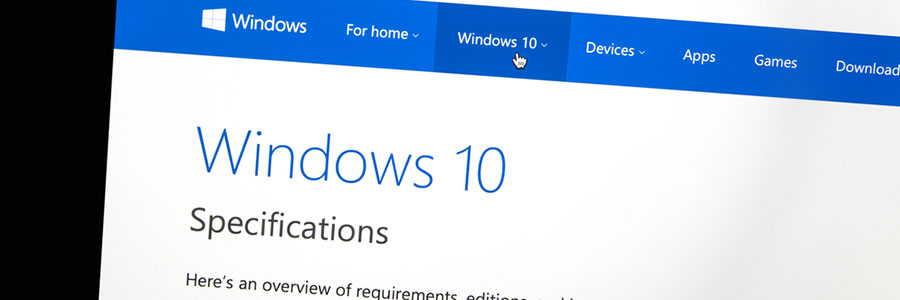
Microsoft is constantly rolling out new versions of its Windows operating system, and the latest is finally here — the first major update of Windows 10 in 2019. Find out what you can expect from the Windows 10 May 2019 update and how it can help you be more productive.
Let Office 365 help you save the date

Arranging meetings that work with everyone’s schedules is a pain — especially if participants don’t work in your office. A calendar that is easy to share publicly simplifies everything from scheduling calls with clients to quarterly meetings with business partners.
How Windows 10 features keep ransomware at bay

The ransomware threat isn’t going away anytime soon, which is bad news for computer users everywhere. Fortunately, Windows 10 has built-in security features to keep you from falling victim to ransomware.
Controlled Folder Access
This feature allows you to list certain documents and folders as “protected.
How to choose the best VoIP system for your SMB

Many industries now utilize Voice over Internet Protocol (VoIP) for better communication quality with lower costs. And with the many options on digital communications, taking your pick could be overwhelming. This guide will help you decide which VoIP system suits you best.