
Servers can host almost every type of business program, with email being one of the most common. Businesses commonly install email servers on-site and use Microsoft Exchange as their software. But if you’re looking to save on infrastructure costs, consider hosted Exchange.
The benefits of hosted Microsoft Exchange for your business

5 Benefits of mobile device management for healthcare

Healthcare providers are relying on mobile technologies more than ever for doing work and communicating with practitioners, staff, and patients. Wireless networks and portable devices in the healthcare setting have their benefits, and IT staff must have controls like mobile device management (MDM) software to efficiently maintain and manage the security and privacy required by federal regulations.
Free up disk space on your PC with Disk Cleanup

Hard disk drive capacities are increasing exponentially over time, yet somehow they always seem to fill up. This rings even more true for solid-state drives, which cost more but offer less storage space than conventional mechanical hard disks. If you’re brushing against your PC's maximum storage capacity, using Disk Cleanup should help you free up space by getting rid of unimportant files and programs cluttering up your hard drive.
7 Customization features to try on Windows 1o
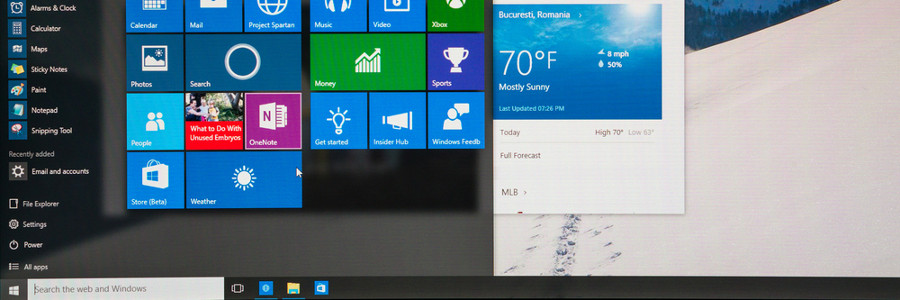
Windows 10 offers a wealth of customization features designed to provide users with a truly personalized and intuitive experience. Whether it’s changing the color of your windows or rearranging the tiles on the Start menu, these features will make your Windows PC a better match for your needs and preferences.
Out of sight, out of mind (so clear your desktop now)

It’s simple, really: if your desktop is messy, then it’s more difficult to use. Don’t waste time and energy struggling to function — literally clean up your act by heeding our tips on decluttering your desktop.
1. Arrange, sort, and prioritize
Before you go about deleting everything from your desktop, think about what you really want to keep.
Microsoft 365 signals a new era of productivity for SMBs

In April 2020, Microsoft launched Microsoft 365, the successor to its popular Office 365. But it’s not a mere name change. The tech giant is also introducing improvements to its productivity software that will enhance how your business deals with cyberthreats every day.
New Windows 10 update: Things you need to know

The Windows 10 update will roll out on May 26–28, 2020 and will bring about a fresher look for the world’s most popular operating system. Aside from updates to Windows 10’s interface, here are some functionality improvements you can expect.
The update — named Windows 10 20H1/Windows 10 version 2004 — will feature some performance-enhancing upgrades and an initial rollout of new designs.
Secure Windows and Office for your work from home staff

Microsoft’s software offerings are filled with features that allow and even augment enterprise work from home (WFH) setups without sacrificing security. Here are some updates about the company’s applications, as well as other common third-party applications in the Windows and Office ecosystems, which will ensure data security when you’re working remotely.
Microsoft changes how it updates Windows 10
Before, whenever Microsoft’s hardware partners released updates on their drivers, those updates caused multiple problems for Windows 10 users. To resolve that, Microsoft revised the way it updates Windows 10.
First, let’s distinguish between driver updates and operating system (OS) updates:
Driver updates – A driver is software that allows your computer’s OS to communicate with various hardware devices connected to your computer.
Windows PC running slow? Just clean it

If you’re noticing a significant slowdown in your Windows PC’s performance, it may be because it’s bogged down by too many unnecessary files. Free up some disk space and revitalize your machine by using the Disk Cleanup tool.