
Giving a PowerPoint presentation doesn't have to be a daunting task with the right tools. PowerPoint Presenter Coach is one such tool that's designed to help you hone your presentation skills and boost your confidence. Whether you're preparing for a business meeting or a public speaking event, this guide will show you how to make the most of PowerPoint Presenter Coach to deliver a polished, professional presentation every time.
Mastering your presentation skills: A guide to using PowerPoint Presenter Coach

How Microsoft 365 can help your SMB grow

As the owner of a small- or medium-sized business (SMB), you may feel like you're always stretched thin. You have to manage tight budgets, juggle multiple roles, and make sure your employees have the tools and resources they need to do their jobs. It can be tough to find time to focus on growing your business.
PowerPoint tips to make your presentations more engaging

Do you have to give a PowerPoint presentation soon? Are you feeling a little nervous about it? Don't worry, you're not alone. Many people feel anxious about giving presentations, especially if they don’t do it often. But don't let that stop you from delivering an awesome presentation! In this article, we'll discuss tips to make your PowerPoint presentation more engaging.
Presenting using PowerPoint? Use these tips

Do you find it difficult to keep your audience’s attention whenever you do a PowerPoint presentation? You’re in luck because we have some of the best tricks of the trade to share with you.
Start slideshows instantly
The audience doesn’t want to see the speaker’s cluttered desktop or unread emails as the PowerPoint presentation is being set up.
Office 365 is now Microsoft 365: New features, same price
Microsoft recently launched its new slate of consumer service plans: Microsoft 365 (M365) Personal and Family. This will replace Office 365 (O365) Home and Personal, signaling the shift of the company’s consumer bundles from just a set of tools to powerful solutions that help you manage both work and life.
2020’s best office apps for Android

More and more companies are adopting remote work policies, offering myriad benefits to both employers and employees. Having the right tools at your disposal will ensure that you and your remote staff can be as productive and efficient as possible. Here are some of the best office suite apps for Android devices.
Improve your PowerPoint skills with these tips
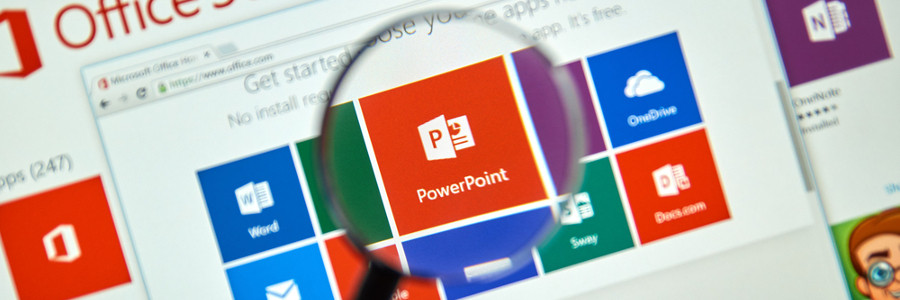
Office workers are far too familiar with slideshow presentations that are either more soporific than cough medicine or are horrible time sinks that make them miss their deadlines. To avoid becoming the next target of their ire and resentment — and perhaps become the presenter everyone actually enjoys — here are some tips on how to use Microsoft PowerPoint.
Help yourself: use these Office 365 features

Need help getting some work done? Microsoft constantly releases new Office 365 features that can give you an edge over the pile of work on your computer. With some of the new Office 365 features, you can Skype over a document with your coworkers, plot charts into Excel with ease, and even sign for a document electronically with any device.
Head to head: O365 vs. G Suite for Android

For business owners looking to increase employee productivity, one of the most heated debates is over which cloud productivity software is best. If your company uses Android devices, we have some tips on whether Microsoft Office or Google Apps is the better choice for you.
Amazing improvements in Office 365
If you’re an Office 365 subscriber, you’re in for some souped-up enhancements. Most involve artificial intelligence (AI) making sense of your data for you, so you spend less time and effort manually processing it. Here are a few of the latest enhancements that’ll give you more time for value-added tasks (and for coffee breaks and power naps, too).
Office
Write and draw with digital ink
Typing is easy on desktops and laptops, but when you’re on touch-enabled devices, keyboards are cumbersome to use, whether they are extra hardware or as space invaders on your screen.
- 1
- 2